Understanding usage
One Privacy measures two things: page views that include your banner and scans of your website. The Usage page shows where you stand against your plan's limits.
Open the usage page
Open your project. In the left sidebar footer, click Usage.
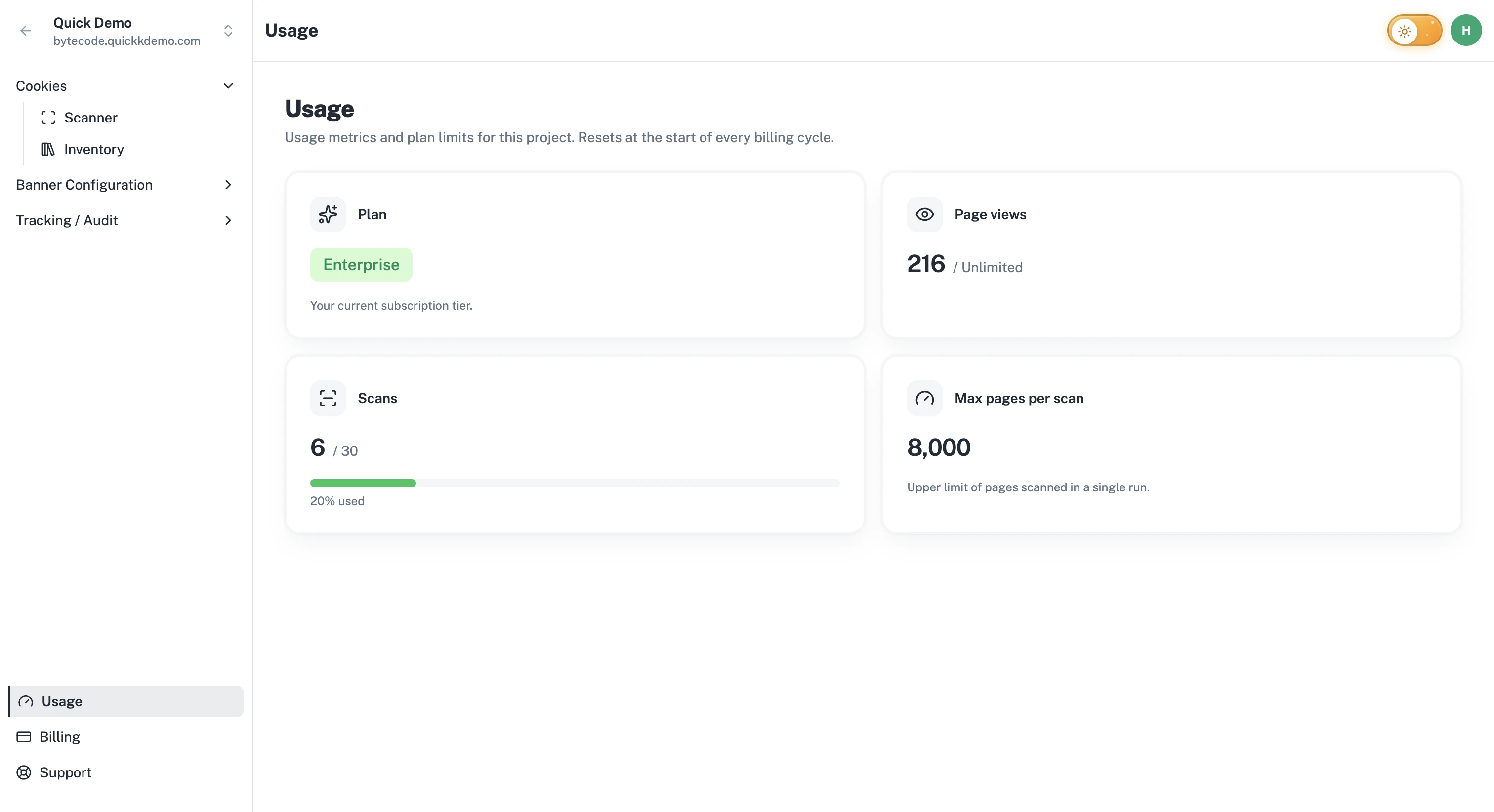
What's measured
Page views. Every time the One Privacy banner script loads on a page of your website, it counts as one page view.
Scans. Every scan counts, whether you started it manually or a scheduled scan ran it.
What's not measured
Visitor consents are unlimited on every plan. You'll never run out of capacity to record consent decisions.
The Cookie Inventory is unlimited. You can categorize as many cookies as you find.
Team members are not metered.
Reading the cards
The usage cards on the page show:
Plan. Which subscription tier you're on.
Page views (current cycle). How many page views this cycle, with a progress bar showing how close to the limit you are.
Scans (current cycle). How many scans this cycle, with a progress bar.
Max pages per scan. The largest number of pages a single scan can cover. If your website has more pages than this, the scan stops at the limit.
The progress bar turns amber at around 75% of a limit and red at around 90%. On plans where a metric is unlimited (page views on Business), the card shows "Unlimited" with no bar.
What happens at the limit
As you approach a limit, a warning appears at the top of the Usage page and we email you, so you're never caught off guard.
Scans. Once you've used all the scans in your plan, new scans (manual or scheduled) won't start until the cycle resets or you upgrade.
Page views. Your banner keeps serving when you first reach the limit, and we let you know it's time to upgrade. If usage keeps climbing well past the limit, the banner stops being served until you upgrade or the cycle resets.
To avoid surprises, upgrade before you hit the limit. See Upgrading or downgrading.